

Setup Guide
JazzCash and Easypaisa payment gateway Pakistan integration is one of the highest-impact changes you can make to your online store. Pakistan runs on mobile wallets. JazzCash has over 40 million registered users, and Easypaisa has around 59 million. Together, they represent the dominant way Pakistani customers actually pay online. If your checkout doesn’t support them, you’re losing sales to customers who simply don’t use credit cards.
This guide walks through how to set up JazzCash and Easypaisa for your business, what each option costs, and how to integrate them into your online store.
Why JazzCash and Easypaisa Payment Gateway Matter More Than Cards
Card penetration remains low in Pakistan compared to mobile wallet usage. As a result, most digital payments run through JazzCash and Easypaisa instead of Visa or Mastercard. This is especially true in tier 2 and tier 3 cities, where mobile wallets often serve as a customer’s primary or only digital payment method. Because of this, a store that only accepts cards effectively locks out a large share of its potential Pakistani customer base.
What Is JazzCash’s Merchant Payment Gateway?
JazzCash offers a dedicated online payment gateway for merchants. It processes Visa and Mastercard-affiliated cards alongside JazzCash mobile wallet payments. There’s no annual, monthly, or setup charge to use the gateway itself — you only pay per-transaction fees. Merchants also get access to a dedicated portal for tracking real-time transactions and reconciling payments.
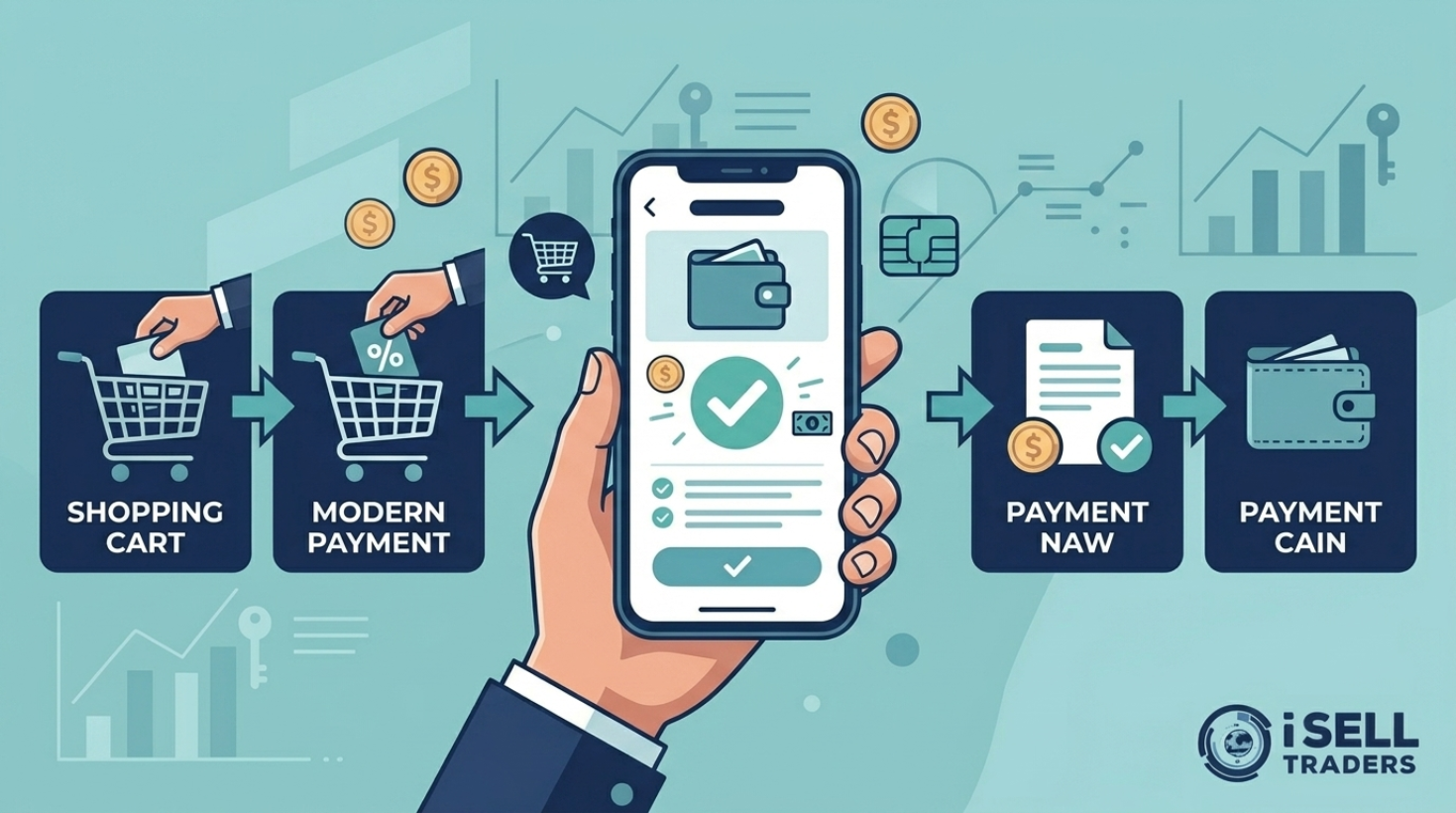
At checkout, customers select Mobile Account, enter their JazzCash number, and approve the payment through an MPIN request on their phone. They receive a confirmation SMS once the transaction completes. JazzCash also offers Raast QR for instant, real-time payments from any participating bank app or wallet, and Tap on Phone, which turns an NFC-enabled Android phone into a card payment terminal.
What Is Easypaisa’s Business Solution?
Easypaisa works similarly, offering a trusted, widely recognized payment option for local customers. It supports instant transfers, bill payments, and integration options built specifically for small and medium-sized businesses. Like JazzCash, Easypaisa requires a merchant account before you can start accepting payments through it.
How to Set Up JazzCash and Easypaisa Payment Gateway Pakistan Integration
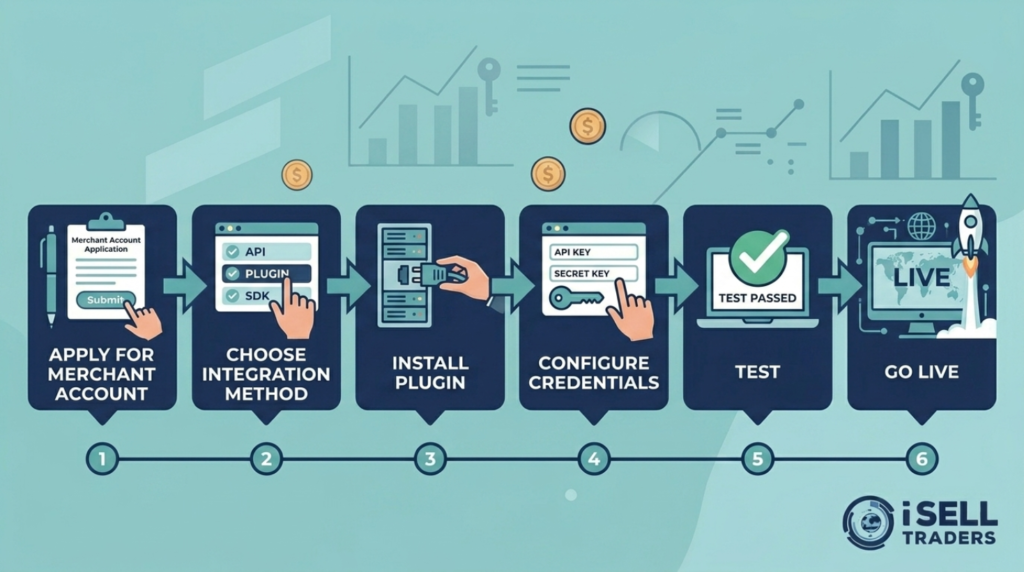
- Apply for a merchant account with JazzCash and/or Easypaisa. You’ll typically submit your business details, and the provider’s team will follow up to complete onboarding.
- Choose your integration method. Most providers offer a REST API for custom platforms, a hosted checkout option, or ready-made plugins for platforms like WooCommerce and Shopify.
- Install the relevant plugin or API for your e-commerce platform. If you’re on WooCommerce, this usually means installing a dedicated payment plugin from the WordPress plugin directory or your gateway provider.
- Configure the plugin with your merchant credentials, which your provider issues after your account is approved.
- Run test transactions before going live, to confirm payments, confirmations, and refunds all work correctly.
- Go live and monitor your merchant portal for real-time transaction tracking.
Because Shopify Payments isn’t available in Pakistan, Shopify store owners specifically need to rely on JazzCash and Easypaisa integrations through apps or manual payment setups, rather than Shopify’s native payment processing.
Costs to Expect
JazzCash’s online gateway carries no signup or monthly fee — you pay only transaction fees, which typically fall in the 2–3% range depending on your agreement. Easypaisa’s fee structure works similarly, though exact rates depend on your specific merchant agreement. Because pricing can change and varies by business type, always confirm current rates directly with the provider before finalizing your integration.
Common Problems with Jazzcash & Easypaisa gateway and How to Handle Them
Problem: You’re losing customers at checkout because you only accept cards.
Way out: this is exactly the gap JazzCash and Easypaisa integration solves. Businesses that add mobile wallet options often see checkout completion improve noticeably, since customers no longer abandon their cart over a missing payment method.
Problem: You’re not technical, and integration feels overwhelming.
Way out: if you’re on WooCommerce or Shopify, plugin-based integration usually takes only a few days from application to going live. If you’d rather not handle it yourself, several Pakistan-based integration services specialize specifically in JazzCash and Easypaisa setup for small businesses.
Problem: You’re worried about high failure rates or fraud.
Way out: some third-party acquiring platforms offer optimized routing and fraud monitoring specifically built for Pakistan’s network environment, which can reduce failed transactions compared to a basic direct integration. If you’re processing high volumes, it’s worth comparing these options against a direct provider agreement.
Problem: You don’t know whether to integrate JazzCash, Easypaisa, or both.
Way out: most established Pakistani online stores integrate both, since customers tend to have a strong preference for one wallet over the other. Offering only one option still excludes a meaningful share of potential buyers.
Final Thoughts
JazzCash and Easypaisa payment gateway Pakistan integration isn’t optional for a serious online business anymore — it’s how the majority of your potential customers actually want to pay. Set up merchant accounts with both, choose an integration method that matches your platform, and test thoroughly before going live. Once it’s running, you’ll likely see a real difference in how many visitors actually complete checkout.
Suggested internal links (add where relevant):
- Shopify Store in Pakistan
- Start an E-commerce Business in Pakistan
- Free Tools for Pakistani E-commerce Sellers
Suggested external links (authoritative sources):


stores offer a mix: COD, Easypaisa, JazzCash, bank transfer, and card payments where available.